How to Position Studio Monitors and Find the Best Listening Position

A monitor should be placed in an optimal position in the room, a location offering minimum influence from the monitor’s surroundings and the room.
This is because what we hear is limited not only by our listening ability and the monitor’s performance, but also by the room acoustics and how the monitor is positioned in the room.
Divide your room into three equal-sized areas: front, centre and back:
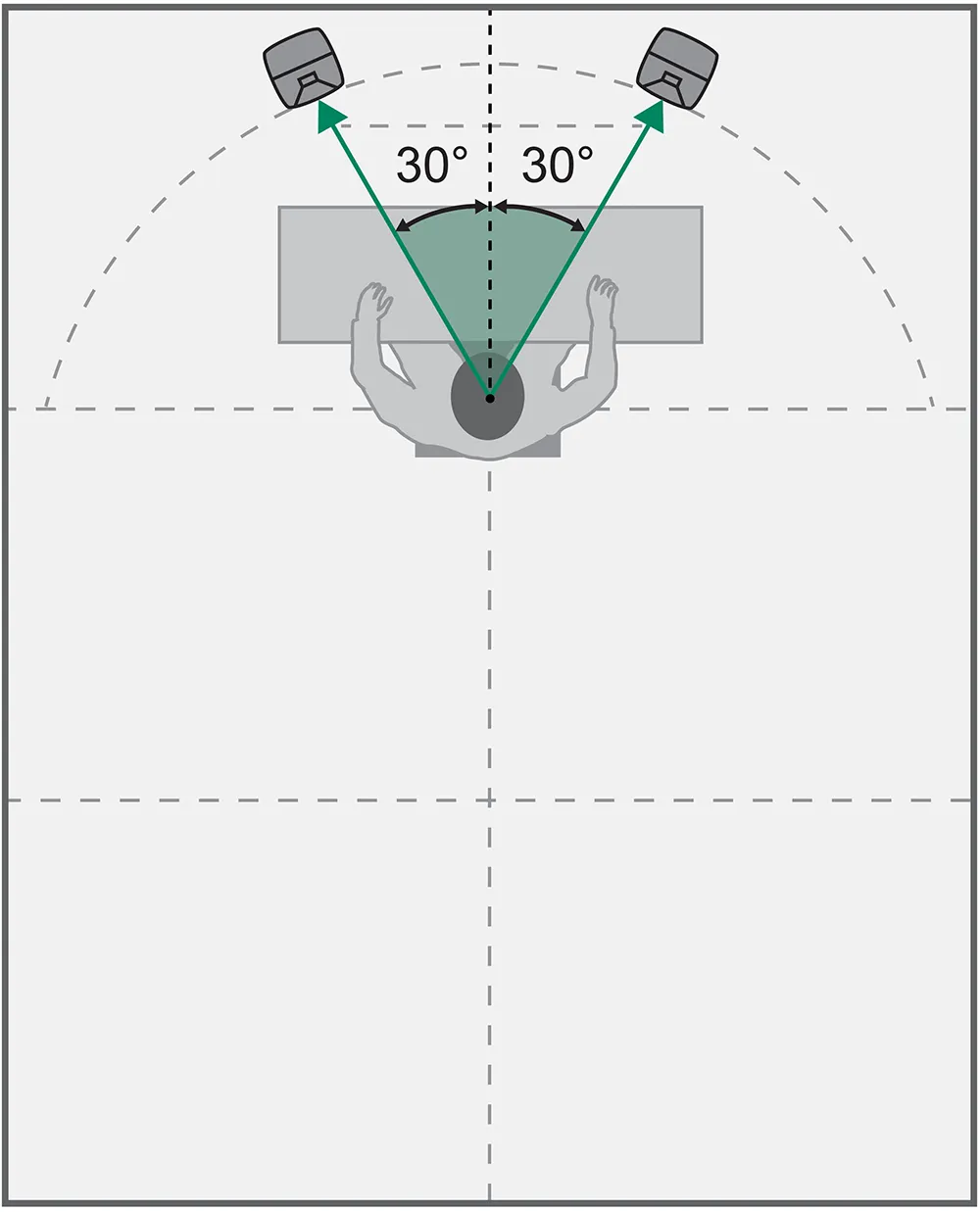
For music productions, place your listening setup in the front area. The angle between the left and right monitors must be 60° degrees, ideally positioning the listener at the tip of an equilateral triangle. Each monitor should be aimed towards the listening position. For cinema audio production, place your listening setup in the back area. The illustrations below show examples of stereo and immersive audio monitoring setups.
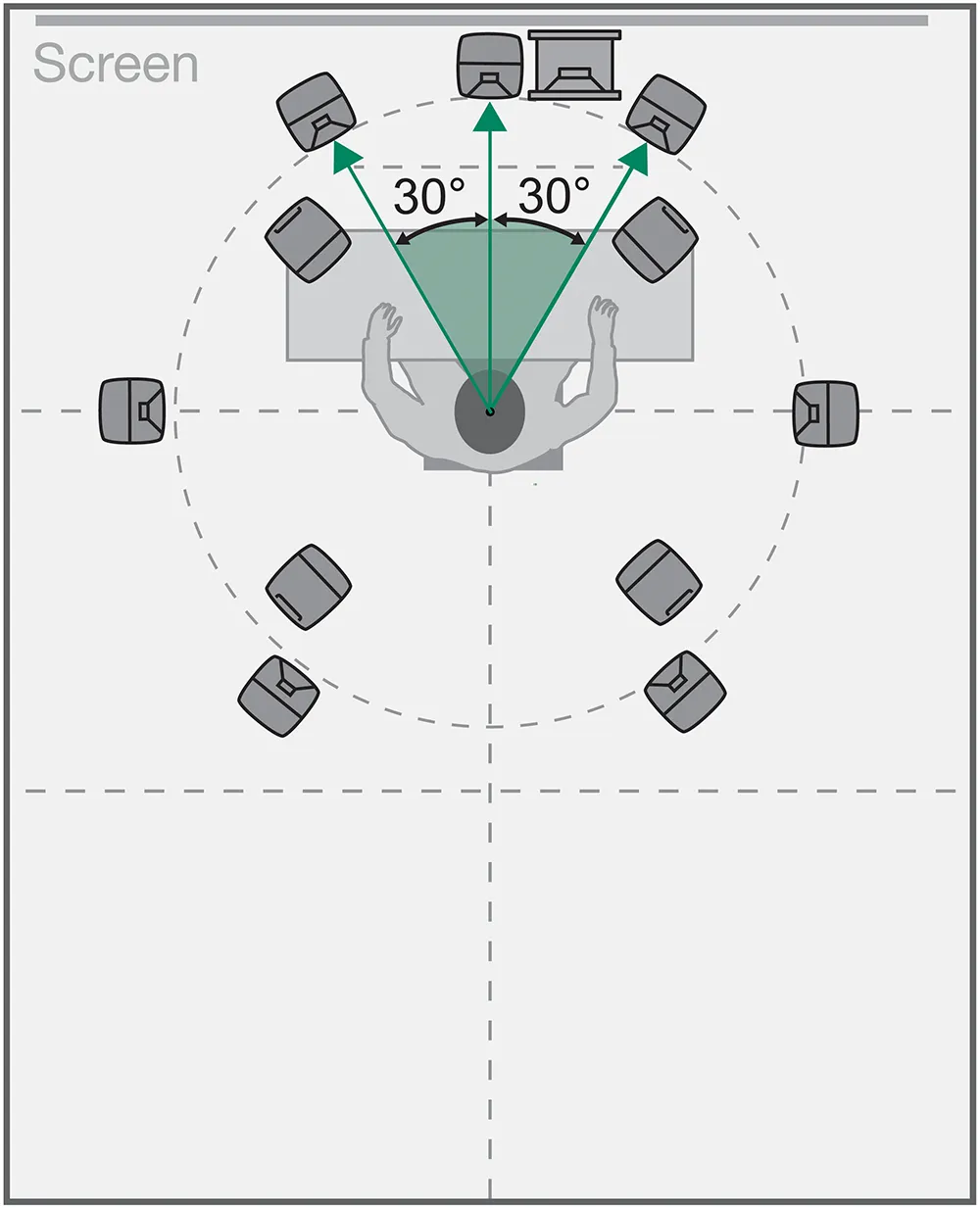
The side channels can vary from 90 to 110 degrees and the rear channels can vary from 130 to 150 degrees.
Acoustic resonances caused by room surfaces are called standing waves or room modes. Room modes cause sound pressure maxima to occur on the room surfaces and are audible as pronounced colourations. Place the listening position at least one metre from the walls to avoid these colourations. Also avoid placing the listening position in the exact centre of the room.
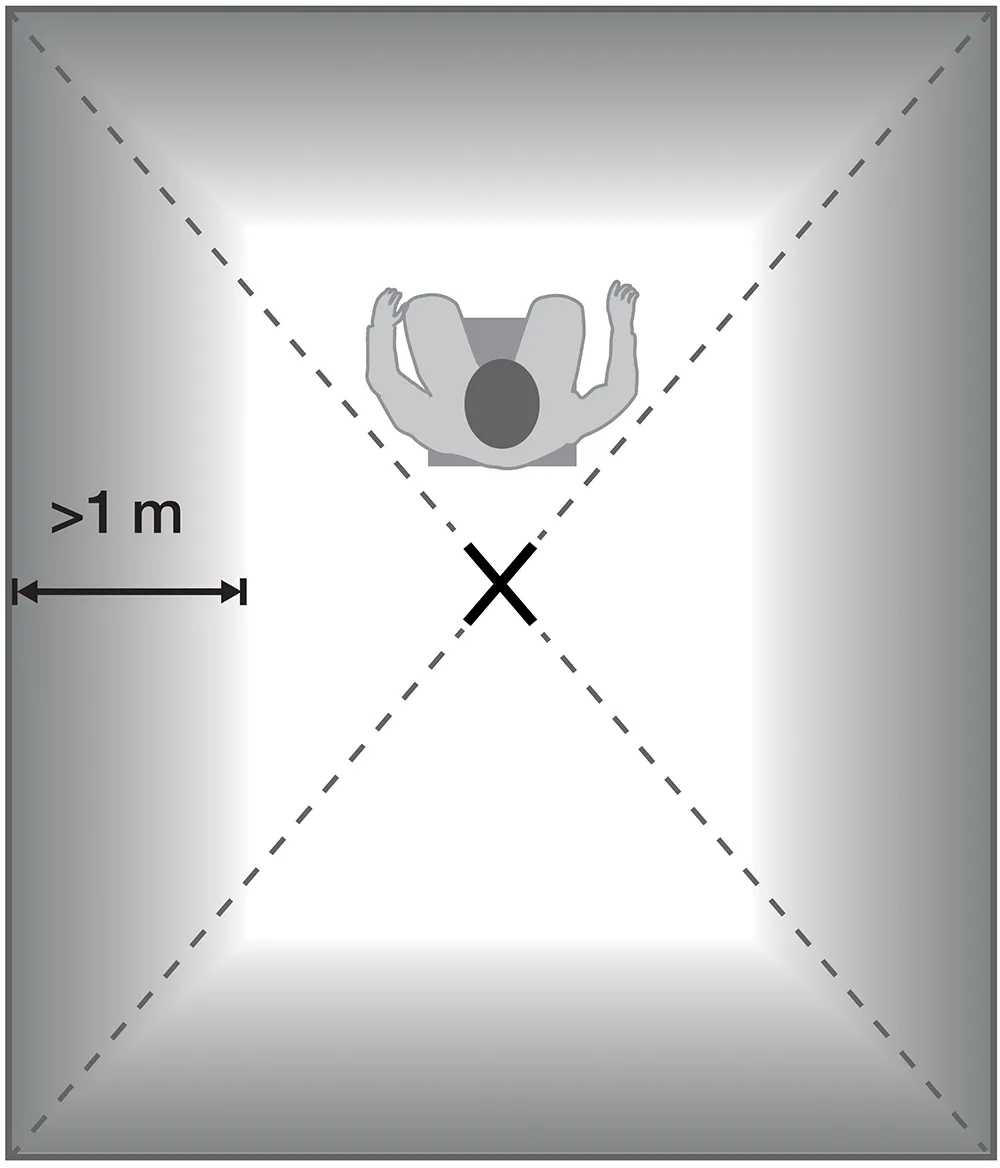
Find the left-right symmetry axis (central dividing line from front to back) of your room. Place the listening position and your setup symmetrically (centrally) on the line in relation to the left and right directions.
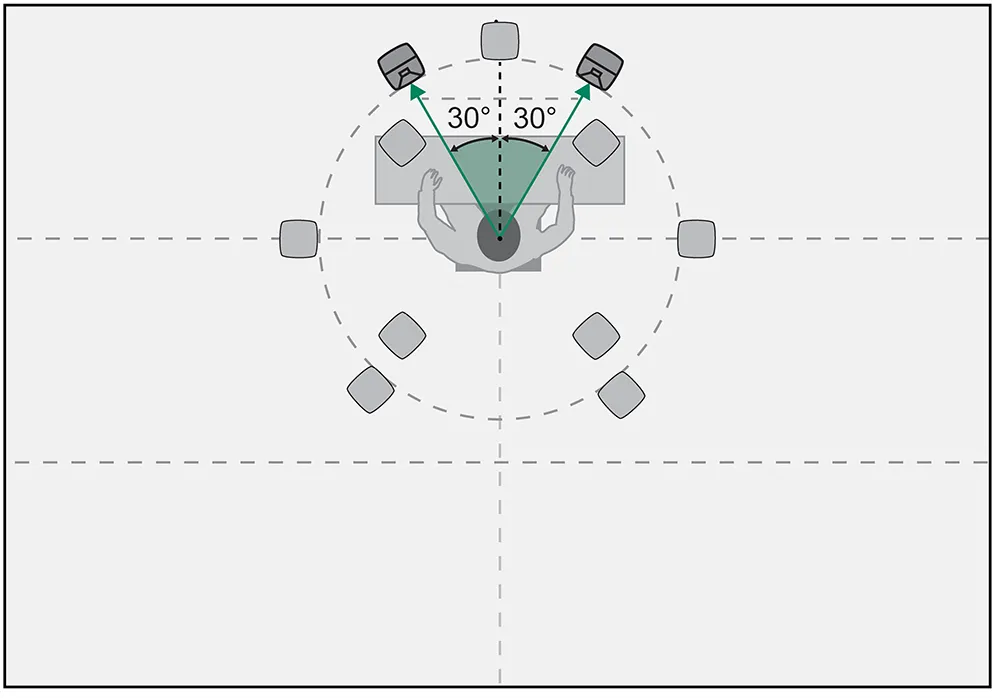
Monitor location and listening area
Sound is reflected by the walls, ceiling, floor and large objects. Sound level at the listening position increases when reflected sound arrives in phase with direct sound from the monitors.
Conversely, sound level decreases when reflected sound arrives out of phase with direct sound. When room surfaces have not been designed to diffract sound, the reflecting sound reaches and departs from the wall at the same angle relative to the wall’s surface. This is valid for medium and high frequencies. Avoid placing monitors in a way that will cause the nearby side walls, ceiling or floor to reflect sound towards the listening position.
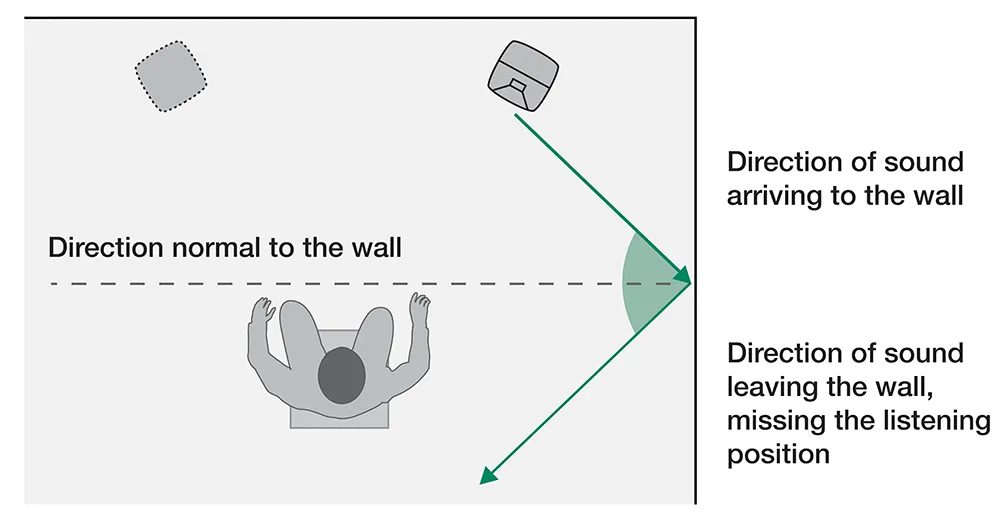
When room dimensions agree with sound wavelengths, sound energy can accumulate to form resonances (standing waves), producing sound pressure maximums and minimums in the room. The location of a monitor affects how much these mode resonances can collect energy and how audible the resonances become. Adjusting the monitor location may reduce levels of problematic room mode resonances.
Accurate stereo imaging is achieved when reflections are similar for both the left and right monitors in a stereo pair. This can be achieved by doing three things: maintaining the same distances to the nearest side walls and the wall behind the monitors for left-right stereo pairs, placing the monitors at the correct (or same) height in the room relative to the listener, and placing the listening position on the left-right symmetry axis of the room. These actions make room reflections similar on the left and right side of the room, enabling accurate imaging.
When the listening position is unfavourably located relative to the room mode resonances, this can seriously affect lowfrequency reproduction. If the listening position is at the null of a mode resonance, that frequency will reduce significantly in level and audio may appear to be missing. Moving the listening position forwards or backwards can avoid the null and may solve this problem.
Acoustical axis
The recommended height of the monitor acoustical axis is ear level, to ensure a balanced reproduction of the loudspeaker's frequency response at the listening position. The acoustic axis is ideally placed between 1.2 and 1.4 metres from the floor.
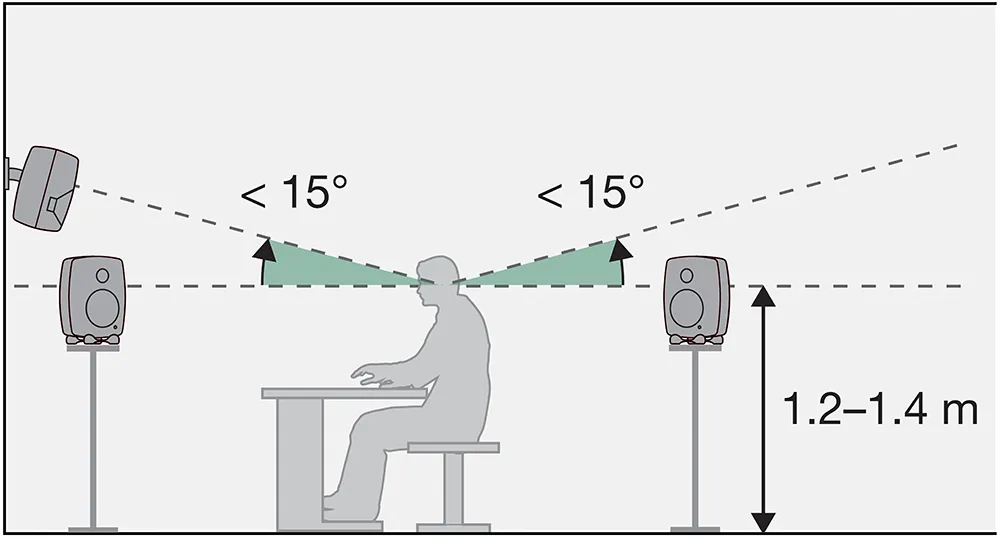
Monitor height (ITU-R BS.775-2 Recommendation)
Placing the monitors higher, with a slight tilt, reduces the effect of floor reflections at the listening position, however, do not lift the monitors so high that more than 15 degrees of tilt is required for aiming.
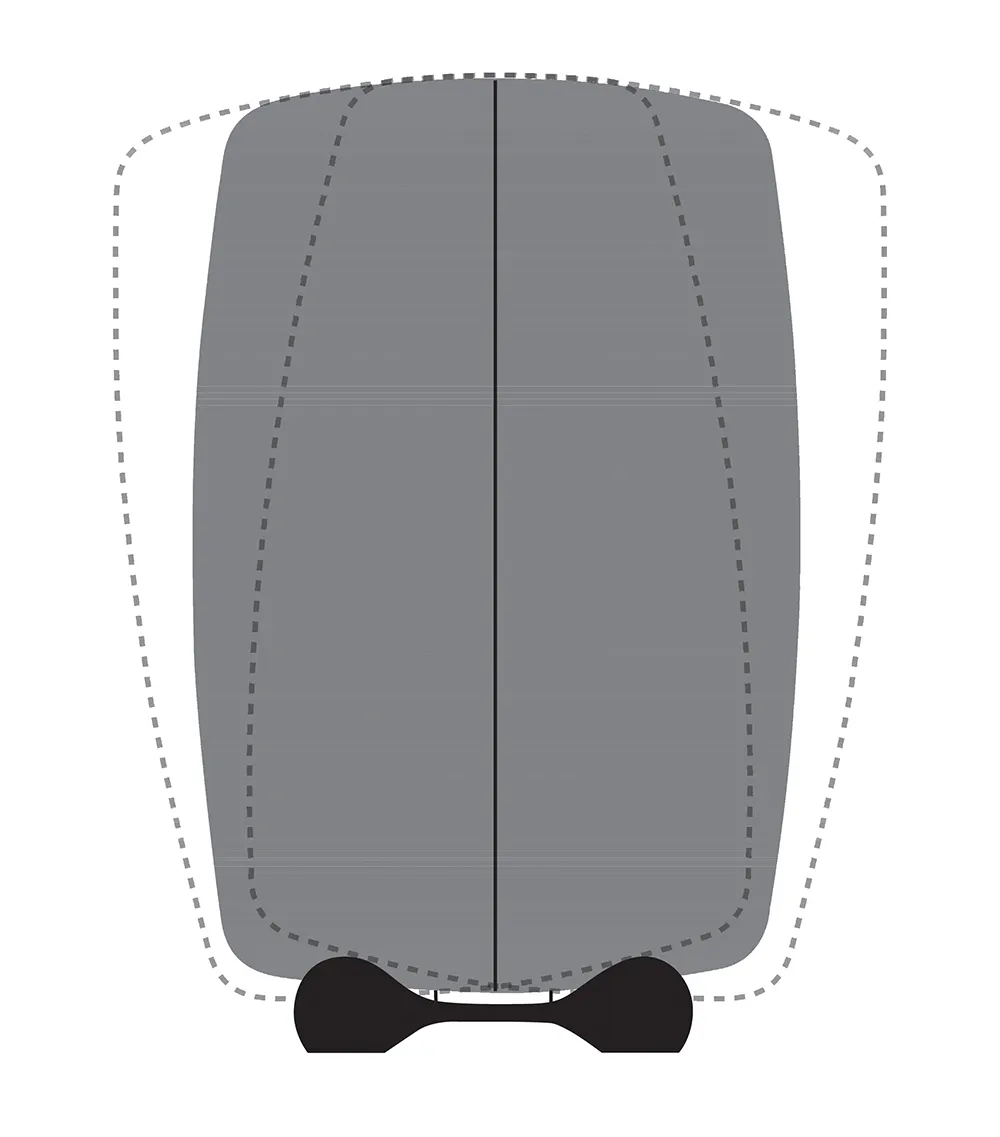
Iso-Pod tilting
Monitors should always be aimed towards the listening position. Monitor height at half the room height should usually be avoided, as at low frequencies the ceiling and floor can create sound-colouring resonances. With immersive systems, monitors are also placed above and below the listening level; always follow the monitor placement guidelines of the specific immersive monitoring system.
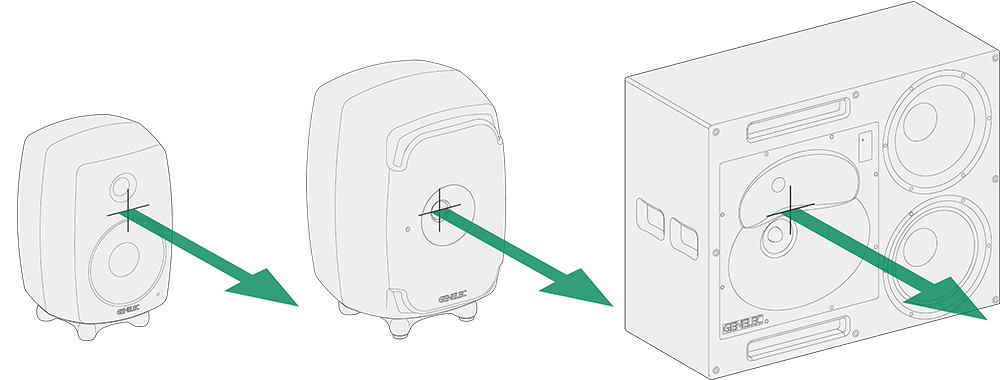 Acoustical axis of a 2-way monitor, 3-way monitor and point source monitor


